


Best AI Coding Agents 2026: The Senior Editor’s Guide

Look, I know why you’re here. You’re tired of “Top 10” lists written by bots that haven’t written a line of code since 2020. You want to know if Cursor is actually better than VS Code, if Devin is worth the massive price tag, or if you can get away with using Claude Code in your terminal.
The market in 2026 isn’t just “chatbots” anymore. We’ve moved from Copilots (autocomplete) to Agents (autonomous engineers). The difference matters. A copilot guesses your next line; an agent plans, executes, debugs, and deploys while you grab coffee.
Most comparisons miss the three things that actually break a workflow:
- The Context Chasm: Does the AI really know your whole codebase, or is it just guessing based on your open tabs? (We test this).
- The Review Crisis: Great, the AI wrote 500 lines of code. Who’s going to verify it?
- The “BYOK” Reality: Are you locked into their expensive model, or can you bring your own API key?
This isn’t a directory. It’s a survival guide for the 2026 developer ecosystem.
What are AI Coding Agents?
AI Coding Agents are the 2026 evolution of developer tools. Unlike 2024-era “copilots” that simply autocompleted text, these agents function as autonomous virtual engineers capable of reasoning, planning multi-step solutions, and executing tasks within a sandboxed environment.
Key Takeaways for 2026:
- Autonomy: They don’t just suggest; they edit files, run terminals, and fix their own errors.
- Context: Modern “Context Engines” index your entire dependency graph, not just open files.
- Vibe Coding: New tools like Lovable allow non-coders to build apps via natural language.
- Verification: The bottleneck has shifted from writing code to reviewing AI-generated PRs.
- Security: Enterprise tools now offer air-gapping to prevent “Shadow AI” data leaks.
Who this article is for:
- Senior Engineers and CTOs deciding on a team-wide stack.
- Solo founders who need to move fast (“Vibe Coders”).
- Enterprise architects worried about IP leakage.
Who should SKIP this:
- If you just want a free spellchecker for HTML, stick to standard extensions. These tools are power tools.
The #1 Mistake:
Thinking one tool fits every workflow. Do not buy Devin if you just need better autocomplete. Do not stick with GitHub Copilot just out of habit if you’re managing a messy monorepo that needs deep context awareness.
See also
Best AI Coding Agents 2026 — Our Curated Recommendations
We have tested and tiered these 20 tools based on real-world utility, not marketing hype.
TIER 1: The Leaders (Start Here)
If you only look at four tools, look at these. They define the market.
Cursor
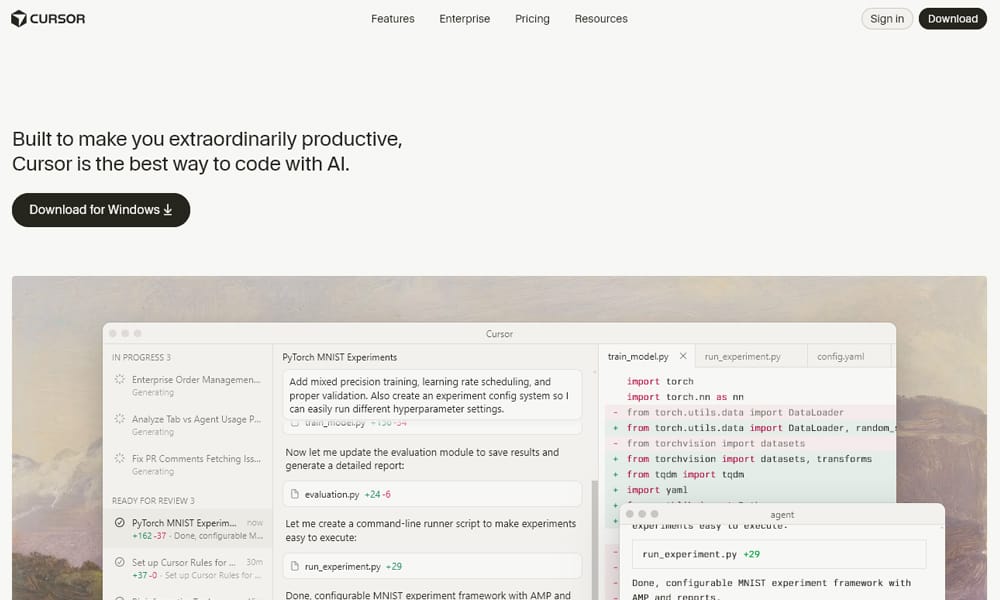
Cursor is currently the “AI-First” editor to beat. It’s a fork of VS Code, so you keep your extensions, but it changes how you write code. It doesn’t feel like an add-on; it feels like the editor is thinking with you. Its “Composer” mode allows for multi-file editing and simultaneous refactoring that makes standard VS Code feel archaic.
Key Features:
- Composer Mode: Edits multiple files simultaneously based on a single prompt.
- Tab Prediction: Predicts your cursor movement and next edit, not just text generation.
- Shadow Workspaces: Generates code in the background without freezing your UI.
- Privacy Mode: SOC 2 Type II certified with a “no storage” option.
Best For: Solo developers and small teams who want the absolute fastest “flow” state available today.
Paid Item:
- Cost: Starts at $20/month (Pro) / $40/user/month (Business)
- Free Trial: Yes (Free tier available)
- Best for: Daily drivers who need speed.
- As of: Jan 2026 — [Source: Cursor Pricing]
Pro Tip: The “Tab” feature is jarring at first because it predicts navigation. Give it two days. Once you get used to tabbing through diffs, you won’t be able to go back.
Windsurf

If Cursor is the power user’s tool, Windsurf is the “Flow” tool. Built by Codeium, its “Cascade” system is distinct because it attempts to understand your intent implicitly. You don’t always have to prompt it; it watches your navigation and edits to build context. It’s less “command and control” and more “collaborative stream.”
Key Features:
- Cascade Flow: Integrates editor, terminal, and AI into one continuous stream.
- Deep Context: Indexes code dependency graphs to understand how backend changes break frontend types.
- Codemaps: Visualizes exactly what the AI “knows” about your codebase.
Best For: Developers who hate constantly managing context manually and want an editor that “just gets it.”
Paid Item:
- Cost: $15/month (Pro)
- Free Trial: Yes
- Best for: Context-heavy workflows.
- As of: Jan 2026 — [Source: Windsurf Pricing
Pro Tip: Windsurf is often cheaper than Cursor ($15 vs $20). If you are budget-conscious but want premium AI features, this is your strongest alternative.
GitHub Copilot

The enterprise standard. It’s no longer the smartest tool in the room, but it is the safest and most integrated. With the 2026 updates bringing “Agent Mode” and “Copilot Workspace,” it has finally moved beyond simple autocomplete. It shines because it lives where your code lives—GitHub.
Key Features:
- Copilot Workspace: Plans features directly from GitHub Issues before you touch the IDE.
- Agent Mode: Can now handle multi-file edits (catching up to Cursor).
- IP Indemnity: The strongest legal protection for enterprise users.
Best For: Large enterprises that need compliance, safety, and deep integration with GitHub Issues/PRs.
Paid Item:
- Cost: $10/mo (Individual) / $19/user/mo (Business) / $39/user/mo (Enterprise)
- Free Trial: Yes
- Best for: Corporate environments and GitHub natives.
- As of: Jan 2026 — [Source: GitHub Pricing]
Pro Tip: Don’t ignore “Copilot Workspace.” Using it to generate a plan before you open your IDE saves hours of “blank page syndrome.”
Devin AI
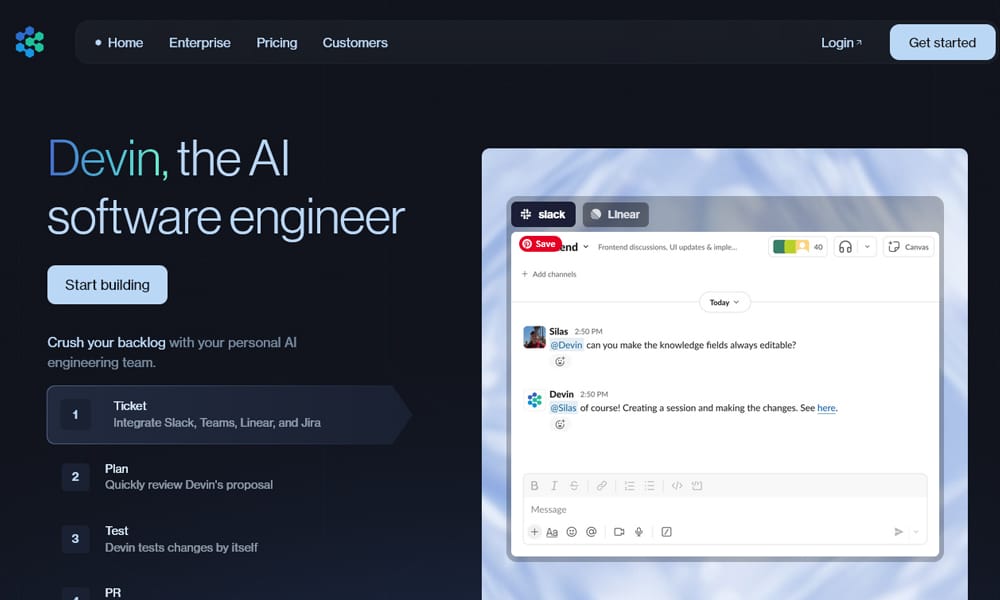
Devin is not a copilot; it is a hire. It runs in its own browser, has its own terminal, and reads documentation. It’s incredible for “grunt work” tasks like upgrading library versions, migrations, or setting up new environments. However, it is expensive and slow compared to a human for creative tasks.
Key Features:
- Full Autonomy: Can plan, execute, debug, and deploy without human intervention.
- Sandboxed Environment: Runs safely in its own container.
- Self-Correction: Reads error logs and attempts to fix its own code.
Best For: Teams that can afford to offload entire tickets (migrations, testing, infrastructure) to a bot.
Paid Item:
- Cost: ~$500/month (Teams)
- Free Trial: Limited / Waitlist
- Best for: Autonomous background tasks.
- As of: Jan 2026 — [Source: Devin Pricing]
Pro Tip: Devin is best treated as a junior engineer. You must review its work. If you trust it blindly, it will introduce subtle bugs.
TIER 2: The Core Tools (Specialized Power)
These tools excel at specific tasks or workflows. Pick one to supplement your stack.
Augment Code

Augment wins the “Context War.” While others hallucinate on massive codebases, Augment’s 200k+ token “Context Engine” semantically indexes everything. It is the only tool that reliably handles “spaghetti code” in massive enterprise monorepos.
Key Features:
- Mega-Context: 200,000+ token window that actually works.
- Semantic Indexing: Understands cross-file dependencies deeply.
- Enterprise Focus: Built for strict security and scale.
Best For: Developers working in massive, legacy enterprise monorepos (1M+ lines of code).
Paid Item:
- Cost: Credit-based model ($20-$200/month)
- Free Trial: No
- Best for: Large Scale Repos.
- As of: Jan 2026 — [Source: Augment Pricing]
Pro Tip: The credit-based pricing is controversial. Monitor your usage, or your bill will surprise you.
Amazon Q Developer

If you live in AWS, this is non-negotiable. Formerly CodeWhisperer, Amazon Q excels at “Code Transformation”—automating the upgrade of legacy Java/NET apps to modern versions. It knows AWS infrastructure better than any human.
Key Features:
- Code Transformation: Automated Java/NET upgrades.
- AWS Integration: Deep knowledge of CDK, EC2, and Lambda patterns.
- Vulnerability Scanning: Built-in security checks.
Best For: AWS-heavy shops and teams maintaining legacy Java backends.
Freemium Item:
- Cost Model: Free Tier / $19/user/mo (Pro)
- Free Plan Includes: Basic generation and security scans.
- Best for: AWS Cloud Architects.
- As of: Jan 2026 — [Source: AWS Pricing]
Pro Tip: Use it specifically for upgrading old Java versions. It can save weeks of manual refactoring.
Tabnine

The Paranoid Chief Security Officer’s choice. Tabnine offers full air-gapped deployment (on-prem or VPC). Its models are trained only on permissively licensed code, eliminating IP lawsuits. If you work in defense, finance, or health, this is it.
Key Features:
- Air-Gapped Mode: Code never leaves your server.
- Permissive Training: Zero risk of GPL contagion.
- Context Awareness: Good local context without sending data to the cloud.
Best For: Highly regulated industries (Banking, Defense, Healthcare).
Paid Item:
- Cost: $12/mo (Pro) / $39/mo (Enterprise)
- Free Trial: Yes
- Best for: Security-first teams.
- As of: Jan 2026 — [Source: Tabnine Pricing]
Pro Tip: The “private model” training allows Tabnine to learn your company’s specific variable naming conventions without leaking data.
Lovable

The leader of the “Vibe Coding” movement. Lovable allows you to describe a full-stack app (React + Supabase) and generates it instantly, making it a powerful AI agent builder for founders and non-technical creators. What makes it usable is “Visual Edits”—you click a button in the preview and tell the AI “make this blue,” and it fixes the code.
Key Features:
- Prompt-to-App: Generates full stack apps from one prompt.
- Visual Edits: Click-and-prompt UI refinement.
- GitHub Sync: Pushes clean code to your repo.
Best For: Founders, PMs, and designers who need to build working products without deep coding knowledge.
Paid Item:
- Cost: Starts at $25/month
- Free Trial: Limited
- Best for: Rapid Prototyping / Vibe Coding.
- As of: Jan 2026 — [Source: Lovable Pricing]
Pro Tip: Unlike other no-code tools, the code Lovable exports is actually readable. You can hand it to a real dev later.
Bolt

Bolt (Bolt.new) runs a full Node.js environment inside your browser via WebContainers. It is the fastest way to spin up a modern tech stack (Next.js, Remix, etc.) to test an idea. It’s ephemeral, fast, and incredibly impressive for “scratchpad” work.
Key Features:
- Browser-Native: No local setup required.
- Full Stack: Runs backend and frontend in the tab.
- Instant Deploy: One click to netlify/vercel.
Best For: Hackathons, quick prototypes, and debugging new libraries.
Paid Item:
- Cost: Token-based pricing
- Free Trial: Yes
- Best for: Throwaway prototypes.
- As of: Jan 2026 — [Source: Bolt Pricing]
Pro Tip: Don’t build your production monolith here. Use it to prove the concept, then export to VS Code.
Cline

Cline is the best “Bring Your Own Key” (BYOK) autonomous agent. It lives in VS Code and uses the Model Context Protocol (MCP) to access your terminal and files. It’s powerful because it asks for permission before running dangerous commands (“human-in-the-loop”).
Key Features:
- BYOK: Use your own Claude/OpenAI API keys.
- Terminal Access: Can install packages and run builds.
- Safety: Requires approval for file writes/execution.
Best For: Power users who want an autonomous agent but don’t want to pay a $20/mo subscription to a specific vendor.
Free Item (BYOK):
- Cost: Free Extension (You pay for API usage)
- Main Limitations: Requires your own API keys.
- Best for: Cost-conscious power users.
- Last Updated: Jan 2026
Pro Tip: Pair Cline with the Claude 3.5 Sonnet model. It hits the sweet spot of price/performance for agentic tasks.
Aider

If you live in the terminal, Aider is god-tier. It works with your local git repo, automatically committing changes with sensible messages. It uses a “Repository Map” to pack the most relevant context into the LLM prompt efficiently.
Key Features:
- Git-Native: Auto-commits with messages.
- Repo Map: Efficient context handling.
- Voice Coding: Supports voice-to-code in terminal.
Best For: Terminal junkies and Vim/Neovim users who refuse to use a mouse.
Free Item (Open Source):
- Cost: Free (BYOK)
- Main Limitations: CLI only (no GUI).
- Best for: CLI workflows.
- Last Updated: Jan 2026
Pro Tip: Aider is surprisingly good at large refactors because it strictly adheres to the file structure.
TIER 3: Specialist & Niche Tools
Specific tools for specific needs. Don’t overlook these.
OpenHands

Formerly OpenDevin. It’s the open-source answer to Devin. It runs in a Docker container, making it safe to let it “go wild” on a task. It’s rougher around the edges but improving fast.
Best For: Open-source purists who want a free, self-hosted autonomous agent.
Free Item (Self-Hosted):
- Cost: Free
- Main Limitations: Setup complexity (Docker required).
- Best for: OSS enthusiasts.
- Last Updated: Jan 2026
RooCode

A fork of Cline that moves faster. RooCode introduces “Modes” (Architect, Debug, Code) which tailor the system prompt to the specific task. It’s for people who find Cline too generic.
Best For: Developers who want granular control over the agent’s “personality” or role.
Free Item (BYOK):
- Cost: Free Extension
- Main Limitations: Experimental features can be unstable.
- Best for: Early adopters.
- Last Updated: Jan 2026
Claude Code

Anthropic’s official CLI tool. It’s slower than others because it “thinks” (Chain of Thought) before acting, but the architectural decisions it makes are often smarter. It performs a “warm-up” to index your project first.
Best For: Solving complex architectural problems where “measure twice, cut once” applies.
Paid Item:
- Cost: Usage-based (Token costs)
- Free Trial: No
- Best for: High-intelligence tasks.
- As of: Jan 2026
Replit AI

Replit is an entire ecosystem. The AI Agent here is great because it controls the hosting too. It can code, deploy, and fix the deployment errors in one loop. Excellent for education and multiplayer coding. Non-developers should read a replit vs lovable comparison before picking one.
Best For: Students, educators, and teams who want “Google Docs for Code.”
Paid Item:
- Cost: $25/month (Core)
- Free Trial: Yes
- Best for: Education / Collaboration.
- As of: Jan 2026
JetBrains Junie

If you live in IntelliJ or PyCharm, use Junie. It ties into JetBrains’ PSI (Program Structure Interface), meaning it understands the structure of your Java/Kotlin code better than a text-based LLM ever could.
Best For: Hardcore Java/Kotlin developers using JetBrains IDEs.
Paid Item:
- Cost: Add-on subscription (~$10-$20/mo)
- Free Trial: Yes
- Best for: JetBrains ecosystem users.
- As of: Jan 2026
Qodo

Formerly Codium. While everyone else focuses on generating code, Qodo focuses on verifying it. It generates test suites and reviews PRs. It is the best defense against AI hallucinations.
Best For: QA teams and Engineering Managers enforcing code quality.
Freemium Item:
- Cost Model: Free / $30/user/month (Teams)
- Free Plan Includes: IDE extension.
- Best for: Code Integrity.
- As of: Jan 2026
Gemini CLI

Google’s terminal agent. It’s fantastic if you have a massive context window (1M+ tokens) for free/cheap. It integrates well with Google Cloud Shell.
Best For: Google Cloud Platform users and developers needing massive context windows on a budget.
Freemium Item:
- Cost Model: Free tier available
- Free Plan Includes: Generous daily limits.
- Best for: High context / Free users.
- As of: Jan 2026
CodeGeeX

A surprisingly strong contender for multilingual support. If your team documents code in Chinese, Spanish, or languages other than English, CodeGeeX’s translation capabilities are unmatched.
Best For: International teams and non-English native environments.
Freemium Item:
- Cost Model: Free extensions / Enterprise pricing
- Free Plan Includes: Basic generation.
- Best for: Multilingual support.
- As of: Jan 2026
Zed

Zed is fast. Incredibly fast. Built in Rust, it supports “Agentic Editing” but allows you to bring your own models. It decouples the AI from the editor, which is a philosophical stance we respect.
Best For: Performance purists who find VS Code too bloated/slow.
Freemium Item:
- Cost Model: Free editor / $10/mo for hosted AI
- Free Plan Includes: The full editor (BYOK AI).
- Best for: Speed demons.
- As of: Jan 2026
FAQ: Your Questions Answered
Q: What is the difference between a Copilot and an Agent?
A: A Copilot waits for you to type and suggests the rest of the line. An Agent (like Devin or Cline) can take a vague instruction (“Refactor this auth module”), read multiple files, run terminal commands, and fix errors without you typing a single line of code.
Q: Are these tools safe for enterprise code?
A: It depends. Tools like Tabnine (air-gapped) and GitHub Copilot Enterprise (IP indemnity) are safe. Using web-based tools like Bolt or Lovable for proprietary banking algorithms is a “Shadow AI” risk you should avoid.
Q: Which AI is best for free?
A: Cline or RooCode paired with a cheap API key is the most powerful “low cost” option. For a truly free experience, Cursor’s free tier is generous, but you will hit limits quickly.
Final Conclusion
The tool you choose dictates the developer you become in 2026.
- Just want to code faster? Switch to Cursor or Windsurf. They are simply better IDEs.
- Need an intern to do the grunt work? Get Cline (if you’re tech-savvy) or Devin (if you have the budget).
- Managing a messy enterprise repo? You need Augment Code or GitHub Copilot.
- Not a coder?Lovable is your superpower.
The era of “typing code” is ending. The era of “directing code” has begun. Choose your agent wisely.


